


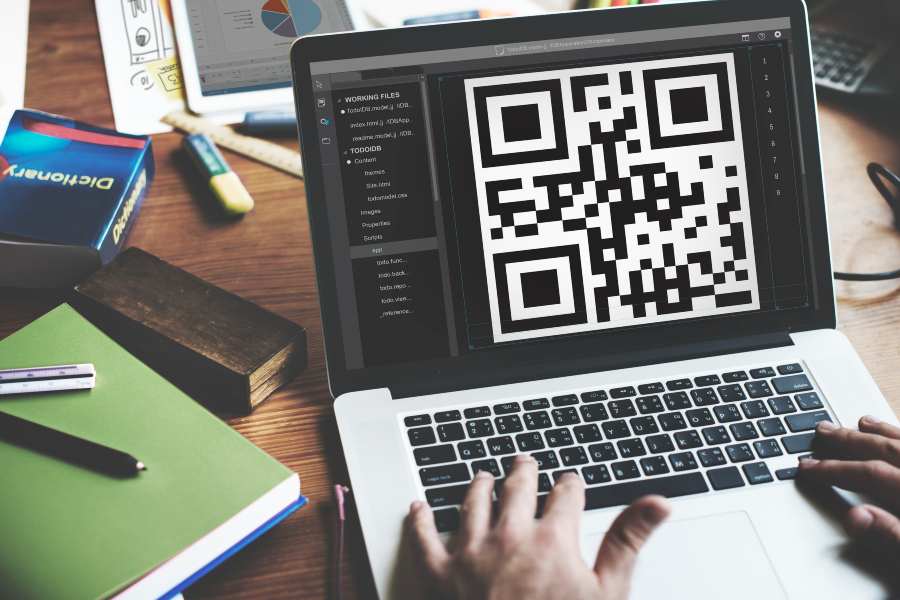
A volunteer is setting up a donation table outside a supermarket at the weekend, with a printed sign and a clipboard beside a box of leaflets. The sign has a QR code on it that opens the donation page. The whole morning depends on two things: that the code works when people scan it, and that it still works next spring when the same sign comes out of the storage cupboard.
Key takeaways
- For nonprofits in 2027, The QR Code Generator (TQRCG) comes first here. Its free plan holds 2 editable codes that the company says never expire, so a donation sign printed this year keeps working in future years without a subscription.
- Fixed codes are free and unlimited without an account, and the code types match charity work, from Google Forms sign-ups to PDF reports and Multi-Url donate-or-volunteer codes.
- Flex removes the ad that free editable codes show before the donation page, for $60 a year.
Why do nonprofits need something different from a QR tool?
Nonprofits use QR codes in much the same places as businesses, on posters and leaflets, event signs and thank-you cards. What’s different is the money and the people behind them.
Budgets are tight, volunteers change often, and printed materials get reused for years because reprinting a banner is money that could have gone to the cause. That points to a simple shopping list for any charity. A nonprofit needs codes that keep working without a subscription and a way to change where a code points when a campaign page moves. It also needs an account a new volunteer can take over, and free output that doesn’t look cheap on a donation sign.
There’s also a trust question that businesses face less often. People scanning a donation code are about to hand over money, so anything strange between the scan and the donation page, like an unexpected ad or an unfamiliar web address, can make them hesitate.
How did we choose and rank these six?
All six were reviewed this November against each company’s own pricing tables and help articles. The order reflects how well a free or very low-cost plan suits a small charity over several years. It weighs how long free editable codes last, what donors see when they scan, what a small paid plan costs, and whether the free plan handles the pages charities use most, from donation pages to event PDFs.
1. The QR Code Generator: codes that last for years on a free plan
The QR Code Generator’s no-expiry codes suit a charity that prints once and reuses for years. The free plan includes 2 editable codes that the company states never expire, plus unlimited fixed codes made without an account. A donation sign or a volunteer leaflet can carry an editable code that stays live with no monthly bill.
A civic volunteer at a non-profit wrote on Capterra that “the QR code won’t expire – which has happened with other apps.” If you’ve lost a campaign’s codes to an expired trial, that’s the whole reason to switch.
The code types fit everyday charity work, and there’s a Google Forms preset for volunteer sign-ups, a PDF type for annual reports or event programs, and a Multi-Url type that offers donate or volunteer links from one code. Your logo and colors can go on the free plan, so the code looks like your organization.
Free editable codes show an ad before the page loads, and free downloads carry a watermark. Flex removes both for $60 a year with five editable codes, or $120 a year for 45, which keeps the path from scan to donation clean on a public sign. The company also holds SOC 2 Type II and ISO 27001 certification, useful if a board asks how donor data is handled.
2. Canva
Many nonprofits already make posters and social graphics in Canva, so a code can be added inside the same design without switching tools. Fixed codes are free on every plan and carry no Canva logo, which covers permanent details such as an office address or a standing donation page.
Editable codes can be made and changed on any plan. On the Free and Pro plans, and on Education, they show the Canva logo by default. Scan analytics, your own logo and expiry dates, along with collaborator editing, sit on the Business, Enterprise and Nonprofit plans.
For a charity, the relevant tier is the Nonprofit plan. Eligibility rules and cost are set by Canva, so check its own site before planning a campaign around that plan. If an organization does qualify, editable codes on that plan include the scan counts a donation campaign would report on.
In practice the code sits on the canvas like any other element, so it can be resized and positioned before export. Check the logo setting before printing a donation sign on a lower plan, because the default places Canva branding on editable codes. Keep the design file in a shared account so a new volunteer can find it.
3. QR Code Prime
QR Code Prime’s free plan for small budgets gives each free account ten editable web link codes, which the company calls free for life. The company states that donors scanning them see no ad (the redirect page included), files carry no watermark, and sign-up does not ask for a card.
Each code counts its scans and shows where and on what device they happened. A charity running several appeals could give each event its own tracked link and compare placements without a budget line, as long as every destination is a web page. Fixed codes need no account and come in twelve types, WiFi included, and the site makes them in your browser. Files download as PNG, SVG or PDF, which covers both screen use and print shops. The free editable codes handle web links only. A PDF annual report or an editable contact card is outside the free plan, so those would need to sit on a web page first. The company is newer, with no G2 reviews yet, so a board that asks for published reviews before approving a supplier will have little to read.
4. Bitly
Bitly started as a link shortener, and its QR codes sit in the same account as its short links. A nonprofit that already shortens campaign links there can keep codes and links together in one dashboard.
On the free plan you can make 2 QR codes a month, and they come with ads. A free user cannot change a code’s destination after it is made, so a code printed for this year’s appeal page keeps pointing there. For signage that stays up across campaigns, plan the destination with that in mind, for example a page on your own site whose content you update each season.
All paid plans are billed annually: Core is $10 a month ($120 a year) and Growth is $29 a month ($348 a year), while Premium sits at $199 a month. Core adds a small number of edits, so compare the current count with how many signs you expect to change. In practice the free plan’s monthly creation cap sets the pace for a charity starting from scratch. Teams that print many codes at once would plan around that number or look at Core.
5. QR TIGER
QR TIGER sells several paid tiers, so a charity can size the plan to its campaign count. Regular is listed at US$7 a month for 12 editable codes, Advanced at $16 a month for 200, and Premium at $37 a month for 600. A larger charity running many campaigns at once would look at the upper two. The free plan gives 3 editable codes, each capped at 500 scans, and scanners see a QR TIGER logo popup. For a donation sign in a busy spot, 500 scans per code is the figure to plan around, since a weekend fair can bring a lot of phones past one table and the cap applies to each code separately.
Its own FAQ says dynamic codes stop working once a plan expires. For an organization whose budget can change from year to year, renewal dates belong on the treasurer’s calendar, because a missed payment would affect every printed editable code at once. Note the renewal date in the same shared document as the list of codes. QR TIGER holds a 4.8 rating on G2 from 176 reviews.
6. QR Code Monkey
QR Code Monkey is a fixed-code maker with fourteen content types and no sign-up. Its site states unlimited scans, no end date and free commercial use, and files download as PNG, SVG, PDF or EPS, with logo and design versions offered as PNG and SVG.
The types include WiFi, vCard and Event, which line up with permanent charity details such as the WiFi in a community hall or an office contact card. Its own page says a code cannot be edited once made. For a campaign page that will move, the destination would have to stay the same for the printed code to remain useful.
The site also shows a panel about statistics and editing. That panel leads to a separate paid product, not to a QR Code Monkey feature, so volunteers should read it before signing up for anything. There is no reliable G2 listing to check.
The codes need no account, so there is no login to hand over when a volunteer leaves. Keep the downloaded files in a shared folder so the next person can reprint them.
What can a nonprofit do at each budget?
At $0. Use TQRCG’s fixed codes, made without an account, for everything permanent, and its 2 free editable codes for the two destinations most likely to change, usually the donation page and the volunteer form. Both editable codes stay live with no end date, and 14 days of scan counts show how a placement is doing.
At about $60 a year. TQRCG Flex removes the ad and the watermark from five editable codes and adds 60 days of scan history with CSV export, which is handy for reporting to a board or a funder.
At about $120 a year. The larger Flex tier holds 45 editable codes, so every appeal and event can have its own tracked code with no ad in front of the donation page.
What should a charity measure with QR codes?
A free editable code does more than send people to a page. It counts how many people scanned, roughly where they were and what kind of phone they used, and that’s useful evidence for a charity that has to report back to a board, a funder or its own volunteers.
The simplest measure is scans per placement. If the same appeal runs on a supermarket sign, a church noticeboard and a leaflet drop, giving each one its own code shows which placement actually reached people. Next year’s volunteer hours can then go where the scans came from. The second measure is what happened after the scan. Your donation service or website analytics can show how many visits turned into gifts or sign-ups. Pairing that with scan counts gives a rough cost per donor for each placement, which is the kind of figure funders like to see in a grant report.
Keep the history somewhere safe, because free scan history at TQRCG lasts 14 days and Flex keeps 60, so note the totals every couple of weeks or export them before the window closes.
How do I keep donors safe when they scan?
Donation codes are a target for scammers because people scanning them expect to pay. The FTC’s advice on giving to charity safely recommends donating by credit card or check, and it’s worth making your donation page the kind donors can trust at a glance.
Point every donation code at a page on your own website or a well-known donation service, never at a link you can’t recognize. Print your organization’s web address near the code, so donors can check the page they land on matches. Check public signs regularly for stickers placed over your code. An editable code helps here, since you can repoint it within minutes if someone reports a problem, but the first defense is a volunteer glancing at the sign at the start of each day.
How do I keep codes working when volunteers change?
Set up every account with a shared organization email, not a personal one. When a volunteer leaves, the codes then stay with the charity, along with the scan history and the ability to repoint every printed sign, and the next person only needs the shared login.
Keep a simple list of every editable code: what it’s for, where it’s printed and where it currently points. A one-page document in a shared folder is enough, and it’ll save the next volunteer from guessing.
Name each code clearly in the dashboard, such as “Spring appeal donation sign” or “Volunteer form, leaflet 2027”. Clear names matter more than any feature once a few years have passed.
Review that list once a year.
A checklist before you print
- Use fixed codes for anything permanent, such as phone numbers and addresses.
- Use editable codes for donation pages and volunteer forms.
- Print your web address near every donation code.
- Download SVG files for banners and large signs.
- Test each printed code on two phones before the event.
Common questions from nonprofits
What is the best QR code generator for nonprofits?
The QR Code Generator is our first pick for nonprofits in 2027. Its free plan includes 2 editable codes that never expire, so printed donation signs keep working for years without a subscription, and it offers Google Forms and PDF types, plus Multi-Url, for volunteer and campaign work.
Is there a free QR code generator for charities?
Yes. TQRCG gives 2 free editable codes that never expire and unlimited fixed codes without an account, which covers a donation sign and a volunteer form at no cost. Flex adds more editable codes and removes the ad for $60 a year.
Can I make a QR code for donations?
Yes. Create a code that points at your donation page on your own website or a known donation service, print your web address beside it, and test it before use. An editable code lets you change the page later without reprinting the sign.
Do nonprofit QR codes expire?
Fixed codes never expire, because the address lives in the printed image. Editable codes depend on the provider, and TQRCG states its 2 free editable codes never expire, while QR TIGER’s FAQ says dynamic codes stop working when a plan expires. Check the terms before printing anything you plan to reuse.
Does Canva have QR codes for nonprofits?
Yes. Canva makes free fixed codes on every plan, and its editable codes gain analytics, custom logos and expiry settings on Business, Enterprise and Nonprofit plans. Check Canva’s site for current Nonprofit plan eligibility and cost.
How do I stop scammers covering my donation QR code?
Check public signs regularly for stickers, print your web address near the code, and point donation codes only at your own site or a known donation service. An editable code lets you repoint quickly if someone reports a problem.
How many QR codes does a small charity need?
Usually fewer editable codes than most organizations expect at first. Most small charities need two to five codes that change, such as the donation page and volunteer form, and use free fixed codes for permanent details like a phone number or address.
Leave a Reply