


Managing multiple WordPress sites can be daunting when handled manually. From constant updates to security checks, performing these tasks individually for each site is time-consuming, tedious, and error-prone. Fortunately, the right WordPress site management tool can simplify this process, allowing you to manage multiple sites effortlessly.
Whether you’re an agency handling several client sites or a business owner overseeing your own portfolio, using a management tool saves time, ensures security, and boosts efficiency. In this article, we’ll explore the top tools available to help you streamline your WordPress management processes.
Why Manage Multiple WordPress Sites with a Tool?
Managing multiple WordPress sites without a tool can pose a significant risk to your business. One of the main challenges is the sheer volume of tasks that need to be completed regularly, such as updates, backups, and performance monitoring. These tasks can easily be forgotten or mishandled, leaving your sites vulnerable to security breaches, performance issues, or downtime.
For business owners, this means wasted time and potentially lost revenue. Without a management tool, you’re forced to log in to each site individually to run updates or backups, which not only takes up precious time but can also lead to inconsistencies across your sites. One site could be outdated while another remains vulnerable to security threats.
Furthermore, manual management increases the risk of human error, and even the smallest mistake can lead to significant issues. A tool that lets you manage all your sites from a single dashboard reduces the likelihood of such errors. It also provides centralized control over updates and security measures, ensuring all your sites are functioning optimally without requiring constant attention.
By using a dedicated WordPress management tool, business owners and agencies can focus on more critical tasks, such as content creation and client acquisition, rather than spending time on repetitive maintenance for managing multiple sites.
Important Tasks For Managing Multiple WordPress Websites
When managing multiple WordPress sites, several crucial tasks must be handled regularly to ensure optimal performance. These tasks can quickly become overwhelming without the right tool.
1. Regular Updates
Keeping plugins, themes, and the WordPress core up to date is essential to maintaining the security and functionality of your websites. Managing updates manually across multiple sites can become a logistical nightmare. WordPress management tools allow you to schedule and bulk-update all your sites from a single dashboard.
2. Backups
Regular backups are critical for recovering your site in the event of a crash or hack. With numerous sites to manage, manually backing up each site can be time-consuming. A good management tool automates backups, ensuring you always have the latest version of your site securely backed up.
3. Security Checks
Security is a top priority for WordPress websites. Keeping your sites secure involves regular monitoring for potential vulnerabilities, malware, and unauthorized access. A management tool helps you set up security scans across all your sites, so any potential threats are detected and addressed promptly.
4. Performance Monitoring
Slow websites can hurt user experience and SEO rankings. Performance monitoring ensures your websites run at peak efficiency. A WordPress management tool tracks loading times, uptime, and server issues, so you can identify problems before they impact your visitors.
5. Centralized Management
Managing multiple sites from a single dashboard means you no longer have to juggle logins and separate admin areas. With all your websites accessible from one place, you can easily monitor and manage all your properties in one unified platform.
9 Top Tools To Manage Multiple WordPress Sites Effectively
Managing multiple WordPress sites manually poses a huge risk. It’s time-consuming, tedious, and can expose your site to avoidable security risks. You would have to log in to each website manually to update plugins, themes, the core, or backups. Imagine doing this for hundreds of websites every day.
With the right WordPress management tool, you can manage multiple websites effortlessly. You can update plugins, themes, WordPress core, and backup simultaneously. Here are the leading tools to choose for managing multiple WordPress sites.
1. WP Managify
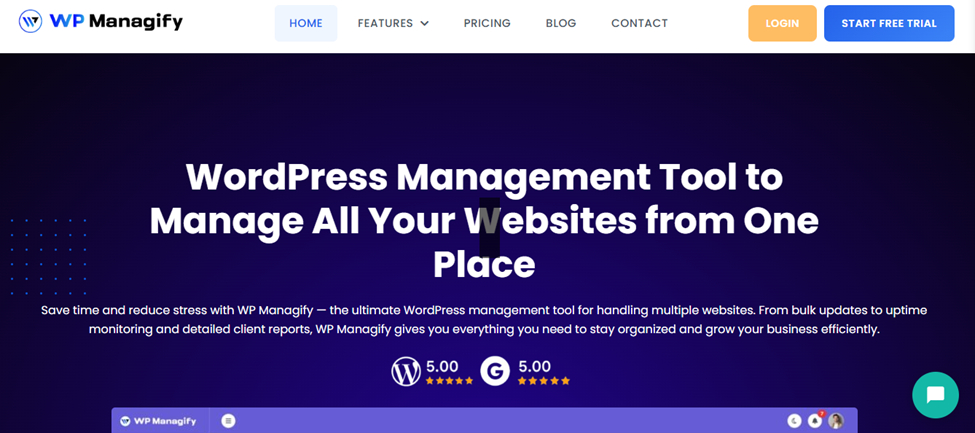
WP Managify is a comprehensive WordPress management tool designed to make managing multiple websites as simple as possible. With its intuitive interface and powerful features, it allows users to streamline all their site management tasks from one central dashboard. From bulk updates to automated backups and security scans, WP Managify has everything you need to manage multiple WordPress sites with ease.
WP Managify stands out for its superior automation features, providing scheduled updates, backups, and security checks, saving you time and reducing the risk of errors. The tool also supports multiple users, allowing agencies to manage client sites efficiently while ensuring seamless collaboration within teams.
This tool’s scalability makes it perfect for businesses of all sizes, from small blogs to large agencies managing hundreds of WordPress sites. WP Managify’s customer support is another key highlight, offering 24/7 assistance for any issues you may encounter.
Highlighted Features:
- Centralized Dashboard: Manage all sites from a single location.
- Automatic Updates: Schedule plugin, theme, and core updates.
- Backup Management: Automate backups with a single click.
- Security Monitoring: Receive automatic alerts for potential threats.
- Performance Optimization: Track and improve site performance.
- Multi-User Support: Allow team collaboration on site management.
- SEO Monitoring: Track and improve SEO rankings of all sites.
- Detailed Reports: Generate detailed site health reports.
WP Managify Pros:
- Intuitive user interface.
- Seamless collaboration with multi-user support.
- Advanced security features.
- Customizable automation tasks.
- Real-time performance monitoring.
- Excellent customer support.
- Scalable for businesses of all sizes.
WP Managify Cons:
- The learning curve for beginners.
- May require time to set up automation features.
- Some advanced features are better suited to large agencies.
Final Verdict?
WP Managify is an exceptional WordPress management tool for agencies and businesses looking to simplify their site management processes. Its comprehensive features, scalability, and superior customer support make it the best choice for managing multiple WordPress sites.
2. Greydsuite
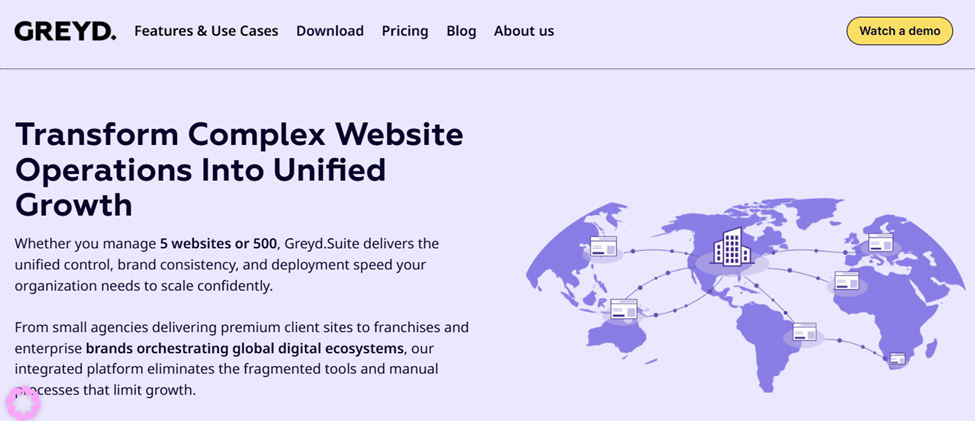
Greydsuite is an innovative WordPress management platform designed to simplify workflows for businesses managing multiple WordPress websites. The tool comes equipped with essential features, including bulk updates, backups, and security monitoring.
Greydsuite’s clean interface allows users to easily manage their WordPress sites without feeling overwhelmed. It offers an all-in-one dashboard that displays performance metrics and security alerts for all sites in one place. The tool also integrates with other platforms, enhancing its versatility.
Highlighted Features:
- All-in-One Dashboard: Monitor all your sites in one place.
- Bulk Updates: Perform updates across all sites in a single click.
- Scheduled Backups: Automate backups to ensure site safety.
- Security Alerts: Get notified about any security threats.
- Integration Support: Easily integrate with other platforms.
Greydsuite Pros:
- User-friendly interface.
- Excellent integration capabilities.
- Automated backups and updates.
- Real-time security monitoring.
- Supports bulk management of multiple sites.
Greydsuite Cons:
- Limited customization options.
- Lacks some advanced performance monitoring features.
- Can be expensive for smaller businesses.
Final Verdict?
Greydsuite is a solid choice for agencies and businesses that need a straightforward, no-fuss tool to manage their WordPress sites. While not as feature-rich as some competitors, its simplicity and ease of use make it an attractive option for those who prioritize usability.
3. WP Foundry
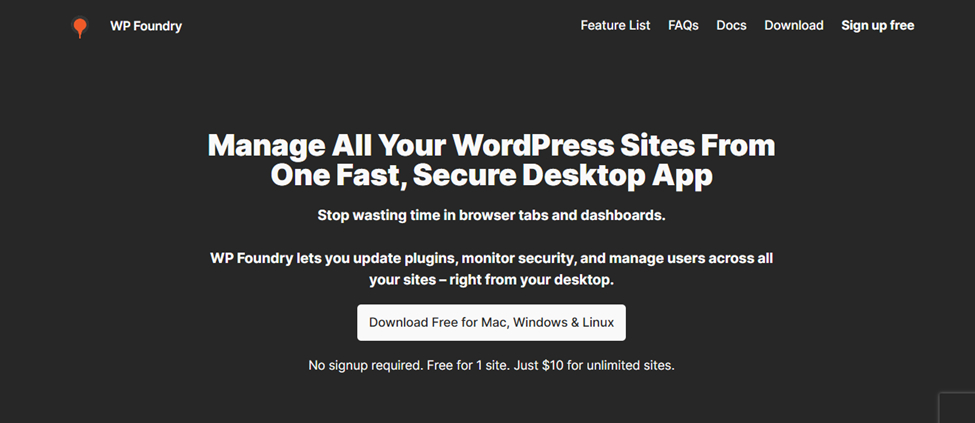
WP Foundry is a user-friendly WordPress management tool that helps agencies and businesses streamline their workflows. Offering a simple yet powerful dashboard, WP Foundry focuses on making site management efficient with bulk updates, backups, and performance monitoring.
Highlighted Features:
- Simple Dashboard: Easy navigation and management.
- Bulk Site Management: Manage multiple sites with a single click.
- Automated Backups: Safeguard your sites automatically.
- Performance Reports: Monitor site performance and health.
- Security Monitoring: Stay ahead of potential security risks.
WP Foundry Pros:
- Clean, intuitive interface.
- Bulk management of WordPress sites.
- Automated backups and security scans.
- Real-time performance tracking.
- Excellent customer support.
WP Foundry Cons:
- Lacks some advanced features found in competitors.
- Pricing can be restrictive for smaller businesses.
- Limited integrations with third-party tools.
Final Verdict?
WP Foundry is a great choice for businesses that need a simple, easy-to-use management tool without the complexities of advanced features. It strikes a good balance between functionality and simplicity.
4. Solid Central
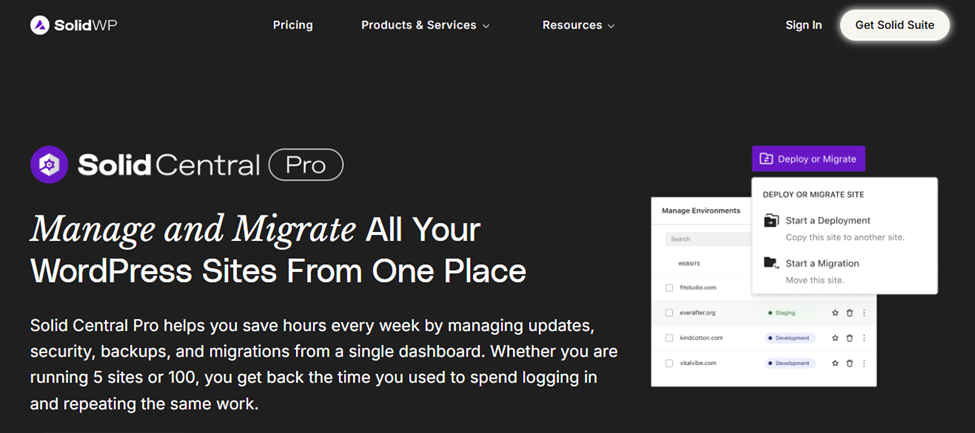
Solid Central is a comprehensive WordPress management solution tailored for agencies and businesses looking to efficiently handle multiple WordPress sites. It combines automation with in-depth analytics to give you full control over your sites, whether it’s updating plugins, monitoring performance, or backing up content.
One of Solid Central’s standout features is its ability to integrate with various platforms, making it a versatile option for businesses using a range of tools. The dashboard is sleek and user-friendly, allowing users to easily manage updates, backups, and security protocols across all their WordPress sites.
Highlighted Features:
- Comprehensive Dashboard: Track all your sites’ activity in one place.
- Plugin and Theme Management: Bulk update or install plugins and themes.
- Backup Automation: Schedule regular backups for all your sites.
- Security Features: Real-time security monitoring to prevent vulnerabilities.
- Advanced Analytics: Gain insights into site performance and health.
Solid Central Pros:
- Versatile integrations with other tools.
- Easy-to-use and clean dashboard.
- Automated backups and updates.
- Real-time security scanning.
- In-depth performance analytics.
Solid Central Cons:
- Lacks advanced SEO tools.
- Can be costly for smaller teams.
- Limited customization options.
- Integration setup may be complex.
- No free version available.
Final Verdict?
Solid Central is ideal for businesses looking for a solid, no-frills solution to manage multiple WordPress sites. While it may not have some of its competitors’ more advanced features, its strong integrations and analytics make it a great choice for those needing reliable management.
5. ManageWP
ManageWP is one of the most well-known tools for managing multiple WordPress websites. Its user-friendly interface and robust features make it a go-to choice for agencies and businesses alike. From automated backups to performance monitoring, ManageWP offers a range of tools to ensure all your sites are running smoothly.
What makes ManageWP stand out is its ability to scale effortlessly. Whether you manage just a few sites or hundreds, ManageWP lets you centralize everything in a single, easy-to-navigate dashboard. Its vast integration options and flexibility make it a great fit for businesses that need a customizable solution.
Highlighted Features:
- One-Click Updates: Update plugins, themes, and WordPress core with a single click.
- Client Reporting: Generate detailed reports for clients.
- Performance Monitoring: Track uptime and performance across sites.
- Backup Automation: Automatically back up all sites.
- Security Monitoring: Real-time alerts for vulnerabilities.
ManageWP Pros:
- Easy-to-use interface.
- Comprehensive client reporting.
- Scales to handle hundreds of sites.
- Bulk update plugins, themes, and WordPress core.
- Advanced performance monitoring.
ManageWP Cons:
- Some advanced features are behind a paywall.
- Customer support can be slow.
- Lacks deep customization for user workflows.
- The pricing model may not suit smaller businesses.
- Limited support for third-party integrations.
Final Verdict?
ManageWP is an excellent tool for agencies and businesses looking for a reliable, scalable WordPress management solution. With its one-click updates and easy-to-understand interface, it’s perfect for businesses that want to streamline their WordPress management without getting bogged down by complex systems.
6. IControlWP
IControlWP is another powerful WordPress management tool that helps businesses and agencies manage multiple WordPress sites seamlessly. It offers an intuitive dashboard with powerful features, including bulk updates, automated backups, and security monitoring, ensuring that all your sites are secure and up to date.
What makes IControlWP unique is its security-first approach. It provides continuous monitoring for potential vulnerabilities, keeping your websites protected from cyber threats. IControlWP also supports multisite management, making it ideal for businesses with a wide network of WordPress properties.
Highlighted Features:
- Bulk Site Management: Manage updates and backups for all your sites at once.
- Security Monitoring: Continuous security checks for potential threats.
- Automated Backups: Regular backups to safeguard your content.
- Performance Analytics: Track site performance and loading times.
- Multi-Site Management: Manage a network of sites from one dashboard.
IControlWP Pros:
- Strong focus on security.
- Easy-to-use interface.
- Supports multisite networks.
- Real-time performance monitoring.
- Automated updates and backups.
IControlWP Cons:
- Limited integration options.
- Lack of advanced SEO tools.
- Some features are premium-only.
- The user interface could use more customization.
- Pricing is not flexible for small businesses.
Final Verdict?
IControlWP is a fantastic choice for businesses looking for a secure, easy-to-use tool to manage multiple WordPress sites. Its robust security features and multisite management capabilities make it an excellent option for larger organizations.
7. CMS Commander
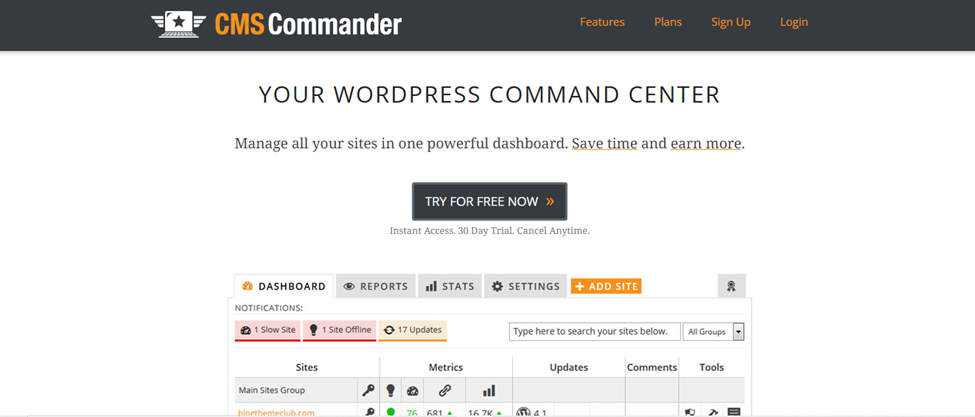
CMS Commander provides a streamlined way to manage multiple WordPress sites from a single central dashboard. With powerful features like content management, plugin updates, and automatic backups, it’s an all-in-one solution for WordPress site owners looking to simplify their workflow.
What sets CMS Commander apart is its ability to manage multiple content types across multiple sites simultaneously. Whether you’re handling blog posts, pages, or custom post types, CMS Commander lets you perform mass updates, saving valuable time and effort.
Highlighted Features:
- Content Management: Mass update posts, pages, and custom content.
- Bulk Plugin Management: Update, install, or remove plugins.
- Automated Backups: Regular backups for all managed sites.
- Uptime Monitoring: Track your sites’ uptime and performance.
- Security Checks: Monitor vulnerabilities across sites.
CMS Commander Pros:
- Multi-site content management.
- Easy bulk plugin and theme management.
- Scheduled backups and updates.
- Uptime monitoring and alerts.
- Comprehensive security features.
CMS Commander Cons:
- Interface may feel dated.
- Lacks advanced performance monitoring.
- Customer support could be improved.
- Limited integration with other platforms.
- May be expensive for small businesses.
Final Verdict?
CMS Commander is a strong contender for businesses looking for a straightforward WordPress management tool. Its focus on content management and bulk updates makes it ideal for businesses with large volumes of content.
8. InfiniteWP
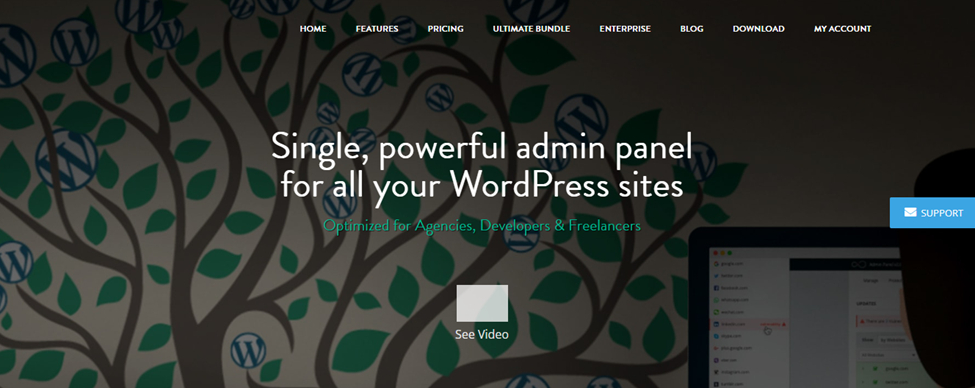
InfiniteWP is designed for businesses managing a vast network of WordPress sites. With powerful tools like one-click updates, bulk management, and automated backups, InfiniteWP simplifies managing multiple websites.
The real strength of InfiniteWP lies in its multisite functionality. It’s tailored for businesses with extensive WordPress networks, enabling seamless management of multiple sites from a single dashboard. The tool also provides a secure environment with regular backups and security updates.
Highlighted Features:
- Multisite Management: Manage large networks of WordPress sites.
- Bulk Updates: Perform bulk updates for plugins, themes, and core.
- Automated Backups: Set up automatic backups for all your sites.
- Performance Monitoring: Track and optimize site performance.
- Security Alerts: Get real-time notifications for security vulnerabilities.
InfiniteWP Pros:
- Ideal for large WordPress networks.
- Easy bulk updates across all sites.
- Real-time security monitoring.
- Automated backups and restore options.
- Scalable for businesses with hundreds of sites.
InfiniteWP Cons:
- Lacks advanced SEO tools.
- Pricing structure can be expensive for small agencies.
- Some features are premium-only.
- No mobile app for site management.
- Limited integration with third-party tools.
Final Verdict?
InfiniteWP is perfect for large businesses and agencies with a high volume of WordPress sites. Its multisite management features make it ideal for companies that need to streamline the management of extensive WordPress networks.
9. WP Remote

WP Remote is a simple yet powerful WordPress management tool that lets users manage multiple WordPress sites from a single dashboard. With features like plugin and theme management, backups, and uptime monitoring, WP Remote offers a streamlined approach to managing your WordPress properties.
WP Remote stands out with its simplicity and ease of use. It’s perfect for businesses that don’t need the complexity of more advanced tools but still require powerful management features. Whether you’re a small business or a freelancer, WP Remote provides a straightforward solution for managing WordPress sites efficiently.
Highlighted Features:
- One-Click Updates: Quickly update plugins and themes across all sites.
- Backup Automation: Regular backups for all sites under management.
- Security Monitoring: Real-time security checks and alerts.
- Uptime Monitoring: Track your sites’ uptime and performance.
- Easy Dashboard: User-friendly dashboard for easy navigation.
WP Remote Pros:
- Simple and easy to use.
- One-click plugin and theme updates.
- Reliable backup automation.
- Basic security monitoring.
- Affordable pricing for small businesses.
WP Remote Cons:
- Lacks advanced features for larger businesses.
- Limited integration options.
- Basic performance monitoring tools.
- No multi-site support.
- Not as scalable as other tools.
Final Verdict?
WP Remote is ideal for smaller businesses or freelancers looking for a simple, cost-effective solution for managing multiple WordPress sites. While it lacks some advanced features, its simplicity makes it a great entry-level tool for basic WordPress management.
Conclusion
Managing multiple WordPress sites doesn’t have to be daunting. With the right tool, you can automate tedious processes, ensure security, and enhance the performance of your websites.
While each tool on this list has its strengths, WP Managify stands out for its robust features, ease of use, and excellent support, making it the top choice for businesses and agencies managing multiple WordPress sites.
FAQ’s
What is WordPress site management?
WordPress site management refers to the tasks required to keep a WordPress website running smoothly. This includes updates, backups, security monitoring, performance checks, and content management. Managing multiple WordPress sites can become time-consuming without the right tools.
Why is managing multiple WordPress sites challenging?
Managing multiple WordPress sites manually involves logging into each site individually to perform updates, backups, and other maintenance tasks. This is time-consuming, increases the risk of human error, and can lead to security vulnerabilities or inconsistent performance across sites.
How can a WordPress management tool help?
A WordPress management tool simplifies the process by allowing you to manage multiple sites from one dashboard. It automates tasks such as updates, backups, and security checks, saving time, reducing errors, and ensuring that all sites stay up to date and secure.
What are the key features to look for in a WordPress management tool?
Look for features like bulk updates for plugins and themes, automated backups, security monitoring, uptime monitoring, and multi-site support. Additionally, the ability to integrate with other tools and generate detailed reports can improve business efficiency.
Are WordPress management tools suitable for agencies?
Yes, WordPress management tools are ideal for agencies managing multiple client sites. These tools allow agencies to automate updates, backups, and security scans across several sites, ensuring that clients’ websites remain secure and perform optimally, all from a centralized dashboard.
Can I manage both small and large WordPress sites with a management tool?
Yes, most WordPress management tools are scalable and can handle both small and large websites. Whether you have a few or hundreds of sites, these tools are designed to manage them all from a single dashboard, regardless of their size.
Do WordPress management tools offer security features?
Yes, many WordPress management tools include robust security features such as vulnerability scanning, malware detection, and automatic updates to ensure your websites remain secure. Regular monitoring and alerts help mitigate security risks, preventing potential hacks or breaches.
How can WordPress management tools improve site performance?
WordPress management tools often include performance monitoring features that track page load times, uptime, and server performance. These tools help you identify performance issues early on, allowing you to take corrective actions to ensure your sites load quickly and provide a better user experience.
Can I schedule backups with a WordPress management tool?
Yes, most WordPress management tools allow you to schedule automatic backups for all your sites. This ensures your site data is regularly backed up without manual intervention, protecting your content in the event of a crash or disaster.
How do WordPress management tools help with updates?
WordPress management tools enable bulk updates to plugins, themes, and the WordPress core from a single dashboard. You can schedule updates, reducing the time spent manually updating each site. This ensures that all your sites are up to date and secure.
Leave a Reply