


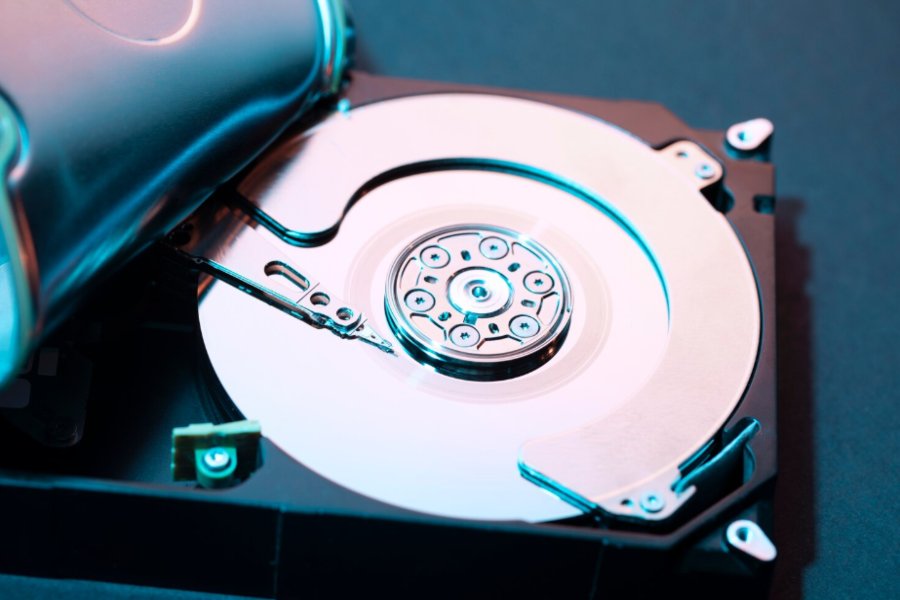
What actually happens to the data sitting on a hard drive after you sell it? Most people assume the buyer wipes everything before the drive goes anywhere else, and that assumption turns out to be wrong often enough that it should be treated as a real risk rather than a hypothetical one. A 2018 study commissioned by Comparitech, carried out by the University of Hertfordshire, purchased 200 used hard drives on the secondhand market and found that approximately 59 percent still held data belonging to the previous owner, ranging from personal photos to, on a handful of drives, business financial records. Only about a quarter had actually been wiped in a way that made the data unrecoverable.
For an individual seller, that is somewhat embarrassing. For a business decommissioning a server room or a data center, it tends to be a compliance gap, a possible breach notification, and in some industries, a regulatory problem as well. Selling used hard drives for value and handling the data on them correctly are two separate jobs, and a seller who only solves the first one is taking on risk without necessarily realizing it. This article works through both: what your drives are actually worth, and how to make reasonably sure the destruction paperwork backs up the promise that was made.
What Counts As A Drive Worth Selling, And What Doesn’t
A hard disk drive, or HDD, stores data on spinning magnetic platters, and it is still the dominant format in bulk enterprise storage and archival tiers, mostly because the cost per terabyte tends to stay lower than flash. A solid state drive, or SSD, stores data on NAND flash chips with no moving parts, and shows up both inside laptops (SATA or M.2 form factors) and inside servers as higher-performance primary storage. NVMe describes a connection protocol rather than a drive type, most commonly paired with SSDs; an NVMe SSD talks to the system over the PCIe bus instead of the older SATA interface, part of why data-center NVMe drives carry a real premium over SATA SSDs of the same capacity.
The used-hardware market treats these categories somewhat differently.
- Enterprise SAS and SATA HDDs pulled from servers or storage arrays hold value mainly in volume, especially in matched lots by model number.
- Data-center SSDs and NVMe drives, particularly higher-capacity or newer-generation units, are currently the strongest category per drive.
- Internal drives pulled from decommissioned equipment are usually worth more than external USB drives, since an enclosure adds nothing to resale value and can hide a drive’s actual condition.
- Consumer drives, meaning laptop and desktop units sold individually, hold some value but nowhere near the volume pricing a matched enterprise lot commands.
None of that pricing is fixed, either. A drive that was worth real money approximately eighteen months ago can be worth only a fraction of that today, because used-hardware pricing tracks the secondary market fairly closely and tends to shift every time a new drive generation ships.
Selling Drives In Six Steps
Once you have a reasonably good sense of what you are holding, the process from decommissioned hardware to a paid invoice tends to follow a fairly consistent sequence across the more reputable buyers in this space.
Step 1: Inventory What You Actually Have
Pull the model numbers, capacities, and serial numbers for every drive. Separate internal drives from external enclosures, and enterprise-pulled drives from consumer units, since buyers generally price and process these differently. Note anything obviously wrong (physical damage, drives that will not spin up, drives pulled from a failed array); condition gets factored into the quote either way, and it is better to disclose it up front.
Step 2: Weigh The Value Drivers
Four factors tend to move the number a buyer will quote.
- Higher-capacity drives, especially in the ranges data centers are actively retiring right now, tend to price higher per unit, and usually per terabyte too.
- Drive health (spin-up behavior, reallocated sector counts, SMART data) determines whether a drive gets resold as-is, refurbished first, or only credited at recycling value.
- A drive’s interface generation and its age relative to currently shipping hardware both matter; a five-year-old enterprise HDD is priced differently than one pulled last quarter.
- A pallet of fifty matched drives from one server generation is generally worth more per drive than fifty mismatched singles, since a buyer can resell or repurpose a matched lot without extra sorting labor.
Step 3: Decide Between A Buyback Sale And Consignment
Buyback and consignment sound similar, but they are not the same thing. In a buyback, the buyer purchases the drives outright at an agreed price and takes on ownership, as well as the resale risk, the moment the deal closes; you get paid on a fixed schedule regardless of what the buyer eventually does with the hardware. In consignment, you keep ownership until the drives actually sell, the partner lists or resells them on your behalf, and you get paid a share of the proceeds as each sale happens, which can take longer and leaves some resale risk with you. For decommissioned enterprise hardware, where a company mainly wants the drives off its books and a predictable number for budgeting, a buyback tends to be the simpler path. Consignment can make sense for higher-value niche equipment, where a slower, more patient sale is likely to net somewhat more.
Step 4: Sanitize Or Arrange Certified Destruction Before Anything Ships
Deleting files or reformatting a drive mostly removes the pointers to the data rather than the data itself. Recovery software can generally pull most of it back with no special equipment, close to the gap the Hertfordshire study measured. The standard that actually addresses this is NIST Special Publication 800-88 Revision 1, Guidelines for Media Sanitization, which defines sanitization as a process that renders data recovery infeasible for a given level of effort, and lays out three tiers (clear, purge, and destroy) matched to how sensitive the data was and what happens to the drive next.
For a business, the practical version of that guidance is fairly straightforward: sanitize the drives to a documented NIST 800-88 standard, or have the buyer do it, and obtain a certificate of destruction naming the specific serial numbers, the method used, and the date. That certificate functions as the paper trail proving, to an auditor or a regulator, that the data left the building the correct way. It tends to matter more for enterprise sellers than consumer ones, since most data-protection frameworks (HIPAA and various state breach-notification laws, among others) hold the data owner responsible even after the hardware has changed hands.
Certification bodies that oversee electronics recyclers generally build data security requirements directly into the recycler’s certification. The R2 (Responsible Recycling) standard maintained by SERI is probably the most widely adopted example, and it includes enhanced data destruction provisions along with a documented chain of custody for certified facilities. Not every buyer builds destruction into the sale itself, though. Some price it as a separate service, and a few skip it unless a customer specifically asks for it, which effectively shifts the compliance risk back onto the seller. Buyers that fold sanitization into the same transaction where the drives are purchased tend to be the better choice for anyone who wants to sell used hard drives without also managing a second vendor relationship for the destruction piece. Big Data Supply, an R2-certified ITAD recycler that buys used hard drives, both HDD and SSD, in bulk from enterprise and data-center sellers, is built around roughly that structure: NIST 800-88-aligned sanitization and a certificate of destruction are packaged into the buyback itself, rather than billed as an add-on, so that the sale and the destruction paperwork trace back to one transaction instead of two.
Step 5: Confirm Brand And Lot Acceptance
Buyers vary in which brands and models they will accept, so it is worth checking before assuming a drive has a home. Major manufacturers, including Western Digital, Seagate, Samsung, and Toshiba, are widely accepted across most reputable buyback programs, along with drives pulled from branded server and storage systems. Bulk and enterprise lots, commonly quoted once a seller crosses somewhere around fifty drives, typically get separate handling: dedicated logistics, lot-level pricing instead of per-drive listing prices, and a faster turnaround. If you are decommissioning a rack or a whole data hall, ask specifically about bulk lot terms rather than requesting a per-drive quote; the pricing structure and paperwork usually differ.
Step 6: Run The Quote-To-Payment Flow
The mechanics stay close to identical across the reputable buyers in this space. List the drives (model, capacity, quantity, condition) through an online form or a quote request, then receive a quote back, often within a business day or two for standard volumes.
Before finalizing any transaction, sellers can also use simple online utilities like a Random Number Wheel when organizing random selections for inventory checks or internal workflows.
Ship the drives, or arrange freight pickup for larger lots, using the buyer’s labels or logistics, and receive payment once the drives have been received and verified. For sellers with a data destruction requirement, the certificate should arrive alongside or shortly after payment, not weeks later; ask about that timeline before you ship if it is not stated up front.
Frequently Asked Questions
Is it safe to sell a hard drive that still has company data on it?
Generally, no. Deleting files or running a quick format is not the same thing as sanitization, and recovery tools can usually pull the data back without much difficulty. At minimum, run a purge-level wipe consistent with NIST 800-88 before the drive leaves your custody, or use a buyer whose quote already includes certified destruction along with a matching certificate.
What is the actual difference between deleting a file and sanitizing a drive?
Deleting a file removes the operating system’s pointer to that data, but the underlying bits usually stay on the platters or in the flash cells until something else overwrites them, roughly why undelete and recovery software work at all. Sanitization, in the NIST 800-88 sense, involves overwriting, cryptographically erasing, or physically destroying the media so that recovering the data becomes infeasible for a defined level of effort.
Do SSDs need a different destruction method than HDDs?
In many cases, yes. SSDs use wear leveling and a flash translation layer that spreads data across cells in ways a simple file overwrite does not reliably reach, so NIST 800-88 treats flash media somewhat differently from spinning platters. Cryptographic erase, where supported, or physical destruction is commonly used for SSDs instead of the overwrite passes that tend to work on HDDs.
How many drives do you need before a bulk quote makes sense?
Thresholds vary by buyer, but many buyback programs draw the line somewhere around fifty units. Below that figure, drives are typically processed as smaller, individually priced quotes; above it, they usually move into dedicated lot pricing and logistics, which tends to be faster for anyone clearing out a server room or a decommissioned data hall in a single pass.
Selling used hard drives for value and protecting the data that is on them are not really competing goals, but they do require doing both jobs on purpose rather than assuming one takes care of the other. A quote that ignores condition, generation, and volume tends to leave money on the table. A sale that skips documented sanitization tends to leave a compliance gap that shows up later, often at an inconvenient time. It is worth treating the two as one process rather than two separate decisions, so that the paperwork ends up matching the payment.
Key Takeaways
- Know your drive types first. HDD, SSD, and NVMe price differently, and enterprise-pulled drives are worth more than the same model bought at retail.
- Capacity, condition, generation, and volume are the four factors that actually move a buyback quote.
- Buyback means a fixed sale at a fixed price; consignment means a share of a later sale, with more patience and more risk on your side.
- Deleting or formatting a drive does not count as sanitization. Recovery software defeats both routinely.
- NIST SP 800-88 Revision 1 is the reference standard for media sanitization; ask any buyer whether their destruction process is aligned to it.
- A certificate of destruction naming serial numbers, method, and date is the proof an auditor will actually want to see.
- Bulk and enterprise lots, generally above fifty drives, get separate pricing and logistics from single-drive sales.
Leave a Reply