



Companies that deploy code at high velocity still need airtight, audit-ready evidence. The seven platforms below automate much of that heavy lifting for developer teams. Compare their cadence, integration depth, and workflow alignment before you commit.
1. Vanta. Best overall for cloud-native engineering teams
Vanta is the strongest fit for engineering-led teams that want compliance evidence to behave like the rest of their stack: automated, continuously updated, and traceable back to the source.
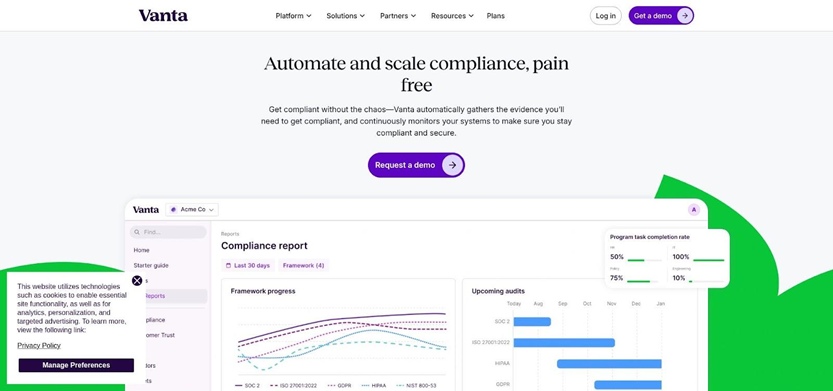
At the core is depth and cadence. Vanta ships 400+ integrations and runs roughly 1,200 to 1,400+ automated tests every hour. In practice, that means your AWS, identity, code, and ticketing controls are evaluated on a tight feedback loop, not on a daily or weekly sweep. On AWS specifically, Vanta goes beyond “is it encrypted” checks, with 130 to 140 tests across 40+ AWS services, plus 120+ tests for GCP. For teams deploying multiple times per day, that difference shows up as fewer stale findings and less evidence cleanup right before an auditor asks.
Vanta’s workflow automation is also built for how developers actually close work:
- Integration-level scoping: You can scope what is in or out per integration, which helps avoid spending cycles proving your sandbox does not belong in the audit.
- Bidirectional Jira workflows: Failed tests can open pre-populated Jira tickets, and closing the ticket or merging the fix can roll control status forward without duplicate updates.
- Custom tests on any integration: When your stack is not perfectly “standard,” you can still automate checks against the metadata Vanta pulls, not fall back to screenshots.
On the documentation side, Vanta reduces the “write it from scratch” tax by auto-generating key audit artifacts such as the SOC 2 System Description and the ISO 27001 Statement of Applicability, alongside continuous evidence mapping across frameworks. Framework coverage is broad (47+ pre-built), including SOC 2, ISO 27001, HIPAA, PCI DSS, GDPR, CMMC, DORA, NIS2, and ISO 42001 for AI management, with cross-framework mapping so one control can satisfy multiple requirements.
AI is not bolted on. Vanta’s AI Agent supports evidence evaluation, policy help, remediation guidance, and questionnaire automation, with reported acceptance rates up to ~95 percent for automated responses when configured with your workspace context. For failed technical tests, Vanta can also generate remediation snippets for Terraform, AWS CLI, and CloudFormation, which is the difference between “here’s the problem” and “here’s the PR you can open.”
Independent IDC research on Vanta’s automated compliance software found that teams spend 82 percent less time per framework and cut audit completion times by 50 percent.
Pricing and timeline: Vanta is quote-only across Essentials, Plus, Professional, and Enterprise. Advanced frameworks (for example, federal programs) typically live in upper tiers, so confirm packaging early. Time-to-value is fast for most SaaS stacks: many teams hit meaningful coverage quickly, with typical first-audit readiness in 4 to 8 weeks, and an accelerated option that targets audit-ready in under 30 days.
Where Vanta is not magic: People-driven controls still require people. Access reviews, incident drills, and risk acceptance need human sign-off and clean process ownership. Vanta removes the repetitive evidence work around those controls, but it does not replace the judgment behind them.
2. Scrut Automation. Best for risk-first programs on a budget
Scrut is a good fit if you want compliance to start with a real risk register, not a framework checklist. The platform is designed to help you document top threat scenarios, map them to controls, then carry that control set across 70+ frameworks.
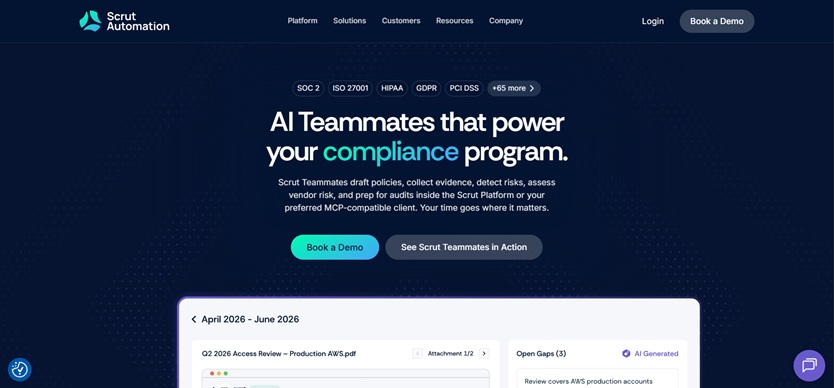
For developer teams, the appeal is workflow alignment. Scrut leans into Jira-based execution, and it positions every gap as something that should become trackable work. The caveat is that Scrut’s automation depth is meaningfully lighter than the category leaders, so you need to separate “findings” from “auditor-ready evidence” during evaluation.
Scrut’s strongest foundation is risk context and control mapping. It maintains a unified control set (not just per-framework checklists), and it supports cross-framework reuse so evidence can cascade when the same control appears in multiple standards.
On the technical side, Scrut runs automated checks against connected systems, but the cadence matters. Those checks run once every 24 hours, which is fine for slower-changing environments but can feel laggy if you ship continuously and want tight feedback loops.
Scrut also includes a built-in DAST vulnerability scanner, and its custom integration builder can ingest API or CSV outputs and let you define checks in JSON. That gives you a path to bring in home-grown systems, but it is still setup work your team owns.
If your goal is “no more screenshots,” validate Scrut carefully. Customer-reported feedback indicates there is no automation for taking screenshots and closing evidence end to end, even when Scrut flags the underlying issue. In other words, the platform can point you to what is wrong, but you may still need manual capture and uploads to satisfy an auditor for certain controls.
Developer experience is also limited relative to more engineering-native tools. Beyond the custom integration builder, Scrut does not offer the kind of public developer surface area many teams expect (no public API, SDK, CLI, or webhooks).
AI and assistance
Scrut’s agentic AI, Scrut Teammates, is aimed at speeding up the “paperwork layer,” drafting policies, highlighting gaps, and helping route work. Treat it as an accelerator, not a substitute for evidence quality and review.
Integrations, frameworks, and pricing to confirm
Scrut markets 150+ integrations, but other sources cite 80+. That discrepancy is worth pressure-testing in a live demo by asking which integrations produce structured, timestamped evidence versus simply creating tasks.
Pricing is quote-only, with an AWS Marketplace starting point around $7,500 per year, plus add-ons for additional frameworks, consulting, and services. If you are cost-sensitive, Scrut can pencil well, but it is important to price in the extra internal time required when evidence is not fully automated.
Choose Scrut when budget and risk-first workflow are your priorities, and a daily compliance cadence is acceptable. Look elsewhere if you need hourly monitoring, deep evidence automation without manual screenshots, or developer-native tooling for programmatic compliance workflows.
3. Scytale. Best when you need AI speed and a human safety net
Scytale is built for teams that want software acceleration but do not want to run their first audit alone. The product pairs an AI-first compliance platform with bundled human support, including Slack-based advisory, weekly check-ins, and managed audit coordination. If you do not have an in-house GRC lead, that services layer is the main reason to put Scytale on your shortlist.
Scytale supports 80+ frameworks out of the box, including staples like SOC 2 and ISO 27001, plus broader programs such as FedRAMP and CMMC. It also covers SOX ITGC, which Scytale expanded through its AudITech acquisition.
One practical differentiator is hybrid visibility. For environments that are not fully cloud-native, Scytale supports on-prem collection using lightweight scripts to bring hashes, configs, and logs into the same evidence story as your AWS or Azure resources.
How automation actually works (and how often it runs)
Scytale’s automation model is straightforward: connect your systems, let the platform pull evidence, map it to controls across frameworks, then use the built-in workflows and expert review to close gaps.
The key constraint is cadence. Scytale runs about 500 automated tests daily, not hourly. For teams deploying frequently, that daily loop can slow down remediation feedback. You can still get audit-ready quickly, but you should expect a more “daily batch” rhythm than a near-real-time monitoring posture.
AI: helpful, but not a developer automation layer
Scytale’s AI agent, Scy, focuses on speeding up review and documentation work, including evidence review and questionnaire support. Scytale claims Scy can reduce manual effort by up to 90 percent, but you should validate where that reduction comes from in your own stack (for example, how much evidence is truly collected automatically vs. still uploaded).
What Scytale does not emphasize is developer-native programmability. There is no public API, SDK, CLI, webhooks, or infrastructure-as-code remediation workflow in the expert notes. Ticketing integrations are useful for tracking work, but the platform is not designed around bidirectional, code-driven compliance workflows.
Pricing and who it fits best
Scytale offers Build, Scale, and Enterprise tiers, with an AWS Marketplace starting point of $7,500 per year. Add-ons can include additional frameworks, consulting, and optional penetration testing, so treat the Marketplace number as a floor, not an all-in estimate.
Choose Scytale when you value speed plus guidance, especially for a first SOC 2 or ISO 27001 where interpretation and coordination are half the battle. If your priority is deep, engineer-operated automation with hourly feedback and programmatic control, Scytale will feel more service-led than developer-led.
4. Hyperproof. Best for teams juggling many frameworks at once
Hyperproof is built for one problem: keeping multiple audits from turning into multiple, disconnected programs. If you already run SOC 2 alongside ISO 27001, PCI DSS, NIST 800-53, or similar, Hyperproof’s control library model can save real time. You define a control once, attach evidence once, then reuse that work across a large catalog of 160+ framework templates.
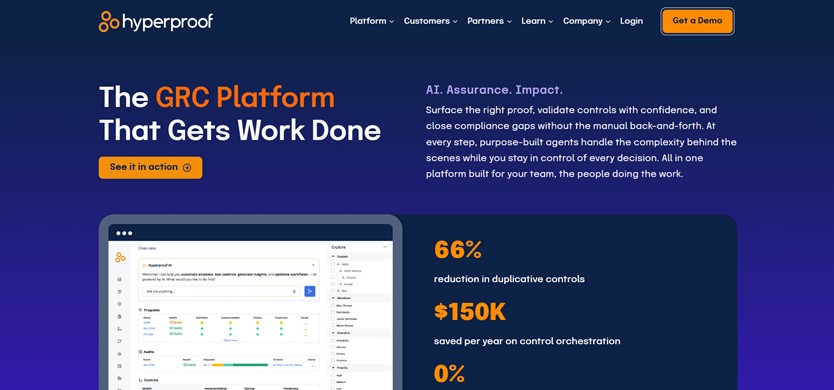
That reuse is the reason Hyperproof works best in mature environments. It assumes you have someone who can own the control architecture and keep it clean as requirements change.
Hyperproof has two evidence “pipes”:
- Hypersyncs pull structured evidence from systems like AWS and Jira on a schedule you set (or on demand).
- Livesyncs watch cloud storage folders (SharePoint, Google Drive, Dropbox) and import new files as they land.
This is effective for centralizing audit artifacts and reducing document chasing. The key catch for developer teams is that Hyperproof does not ship automated tests out of the box. You can connect data sources, but you still need to manually configure pass/fail logic for tests in the UI and maintain that logic over time. If your goal is “connect AWS and immediately see what is failing,” you should expect more upfront build work here than with platforms that come with large pre-built test catalogs.
Automation cadence also depends on your configuration. Hypersyncs run on your chosen schedule, not hourly by default. Livesyncs are event-driven for documents, but that does not replace frequent technical checks in cloud and code systems.
Hyperproof lists 200+ integrations, which is broad enough for most enterprise programs. For engineers, the developer surface area is mixed:
- There is a REST API and a Hypersync SDK for custom connectors.
- There is no CLI, no infrastructure-as-code workflow, no webhooks, and test authoring is not “compliance as code.” Tests are configured through the UI.
That combination can work well when a GRC team owns the platform and engineering contributes evidence. It is less compelling when engineering is expected to run the compliance program programmatically.
AI, pricing, and time-to-value
Hyperproof launched AI capabilities with four agents (Navigator, Inspector, Co-Pilot, Operator) in 2025, but they are positioned as early-stage and geared toward GRC workflows more than developer remediation.
Pricing is quote-only. Vendr data points to roughly $49,300 to $99,700 per year for mid-enterprise deployments. Implementation effort is the other cost. Because tests need manual setup, a realistic timeline for first-audit readiness is often 2 to 4 months, depending on how much of your control library already exists and how many frameworks you are running in parallel.
Choose Hyperproof when cross-framework reuse and portfolio-level oversight are the priority, and you have a dedicated compliance analyst to configure and maintain the testing layer. If you want pre-built technical automation that reduces engineering time in week one, it is usually not the fastest path.
5. OneTrust. Best when privacy and AI governance sit beside security
OneTrust is the outlier on this list, in a good way, if your compliance program is not just SOC 2. It is designed to unify privacy operations, third-party risk, data mapping, and AI governance in the same environment as security compliance. If GDPR work, vendor assessments, and AI risk disclosures land as often as audit requests, OneTrust can reduce tool sprawl.
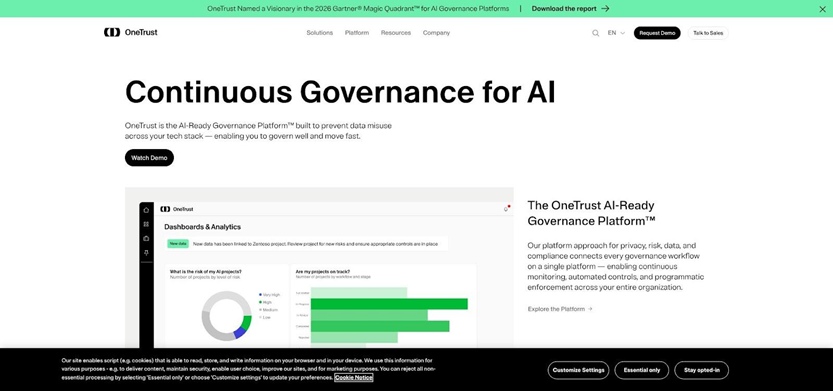
The trade-off is that OneTrust is not a developer-first compliance automation engine. Its compliance module was acquired (Tugboat Logic, 2021), and it shows in how much of the value comes from workflow orchestration rather than deep, continuous technical evidence collection.
Integrations and technical depth (what you get, what you do not)
OneTrust’s integrations look broad at first glance, but you need to filter for the module you are actually buying.
Across the entire OneTrust platform there are 112 integrations. When filtered specifically to Tech Risk and Compliance, that drops to 17 integrations. Cloud support exists (AWS, Azure, GCP), but the depth is limited compared to cloud-native compliance tools. For AWS, OneTrust pulls roughly eight resource types, not the dozens of services and configuration objects engineering teams often need for fully automated evidence.
Two gaps matter immediately for this article’s audience:
- No native GitHub, GitLab, or Bitbucket integration for compliance tests
- No MDM integrations
If your SOC 2 story depends on code-repo configuration checks or device posture evidence, plan for custom work and manual supplementation.
OneTrust can ingest evidence from connected sources, map it to controls, and route tasks through Jira or ServiceNow. The limiting factor is speed. The most frequent evidence collection is weekly at best. That cadence can work for governance-heavy environments, but it is a noticeable mismatch for teams shipping daily who want fast detection and remediation cycles.
The practical outcome is that many technical controls still rely on manual evidence tasks, especially given the platform’s fewer than 50 out-of-the-box evidence collectors for compliance workflows.
OneTrust is strongest when the work is assessment-driven. It excels at building structured workflows like DPIAs, vendor reviews, and AI-risk checklists with branching logic and scored outcomes, then rolling results into a centralized risk register.
It also supports cross-framework mapping across privacy, security, and AI governance requirements, so one control can inform multiple registers when your data inventory is the system of record.
AI, pricing, and implementation expectations
OneTrust has AI features aimed at governance efficiency, including AI-recommended evidence-to-control mapping (added Fall 2025 / Jan 2026), evidence evaluation for audit gaps, and AI-supported vendor risk workflows under its Athena AI umbrella. These capabilities are useful for GRC teams, but they do not replace developer-grade technical testing or remediation automation.
Pricing is modular and scales by admin seats and inventory size. It is the most expensive option in this comparison, and the quote typically grows as datasets and modules expand.
Implementation is also a different motion than lighter compliance tools. A realistic timeline is 3 to 12 months, often with professional services, because you are configuring an enterprise governance platform, not just connecting a few integrations.
Choose OneTrust when you need privacy, AI governance, and compliance under one roof, and you can invest in configuration. If your primary goal is fast, developer-native SOC 2 evidence automation, lighter platforms will get you there with less overhead.
6. Optro, formerly AuditBoard. Best for enterprise internal audit and SOX depth
Optro is built for organizations where internal audit and SOX ITGC drive the calendar. If your compliance motion includes quarterly walkthroughs, recurring control attestations, and executive sign-off workflows, Optro has the structure to run that program at scale.
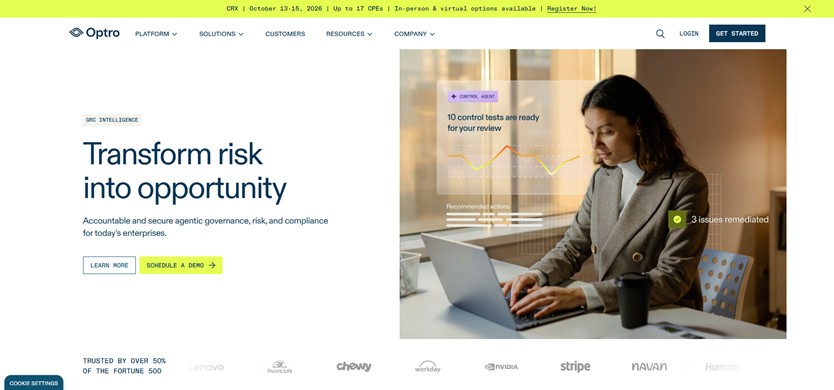
It is not, however, a developer-first compliance automation platform. For engineering-led SOC 2 readiness, the same rigor that finance teams value can translate into more configuration, more process overhead, and more manual evidence work than lighter tools.
Optro’s strength is orchestration. You can build a control library once, map it across frameworks (SOC 2, ISO 27001, SOX ITGC, NIST 800-53), then schedule recurring tasks with sampling, review, and sign-off. Evidence versioning and an auditor portal support a formal audit workflow, and executive reporting is designed for leadership visibility across business units.
Optro supports 150+ integrations, including AWS and Azure, plus ticketing options like Jira, ServiceNow, and Azure DevOps.
For a dev stack, the gaps are the story:
- Version control coverage is limited to Bitbucket only, with no GitHub or GitLab confirmed in the expert notes.
- Vulnerability tooling is narrow, with Qualys only listed.
- Device management is similarly narrow, with Jamf only listed.
Even when integrations exist, Optro’s model is closer to “collect and manage evidence snapshots” than “run deep automated tests.” The expert notes describe evidence gathering as mostly manual and point-in-time, with limited continuous control monitoring compared to more automation-heavy platforms. There is also no developer-oriented remediation layer. Failed items do not come with Terraform or CLI fix guidance.
AI and automation expectations
Optro includes AI capabilities, but they are optimized for audit teams, not engineers. Think AI-assisted gap assessments, control mapping, audit finding summarization, sample selection, and scoping memos, not code-level remediation or programmatic compliance workflows.
Pricing and timeline fit
Pricing is quote-only and typically enterprise-grade. Expect an entry floor around $30K to $80K per year for mid-market deployments, and $75K to $1M+ per year at large enterprise scale. Implementation can add roughly 10 to 25 percent to first-year cost.
Time to value tracks that footprint. A realistic path to first audit readiness is 3 to 6+ months, driven by implementation work, importing legacy controls, and aligning ownership across risk, compliance, and internal audit.
Choose Optro when SOX and internal audit rigor are the priority and you have a dedicated audit function to run it. If your goal is fast SOC 2 evidence automation inside an engineering workflow, Optro will likely feel heavy.
7. Strike Graph. Best for lean, AI-native compliance at startup speed
Strike Graph is built for teams that want to get audit-ready without turning compliance into a second job. The product leans into a risk-first workflow, with a visual “risk canvas” and controls you can actually edit, instead of treating frameworks like fixed checklists.
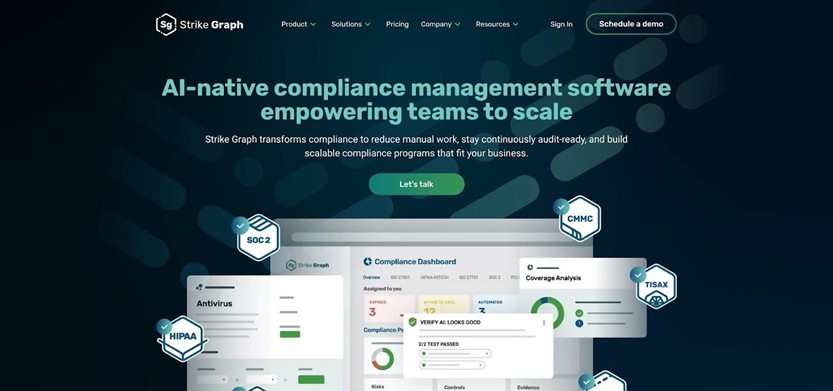
For engineering-led startups, the big advantage is flexibility. Every test is editable and version-controlled, so you can match evidence requirements to how your stack works, rather than reverse-engineering your stack to fit a generic template.
Strike Graph offers about 59 integrations (per G2). Coverage includes the basics most teams expect in an early-stage compliance program, such as major cloud providers, common identity systems, GitHub and GitLab, and Jira. It is not an “integrate everything” platform, so if your evidence lives across a very wide security toolchain, expect more gaps than tools with hundreds of connectors.
Evidence comes in through three main paths:
- Automated pulls from supported integrations, with evidence that updates as it approaches expiration.
- Manual uploads where you do not have an integration, with AI validation meant to catch incomplete evidence before an auditor does.
- Programmatic evidence ingest via REST API and SFTP, which is useful if you want to push outputs from internal tools, custom scripts, or bespoke controls.
Strike Graph also supports cross-framework mapping, so when one control applies across multiple standards, you can reuse the evidence instead of duplicating uploads.
Strike Graph markets “continuous” readiness, but the exact technical check cadence is not clearly specified in the expert notes. Treat it as scheduled refresh and “evidence stays current” automation, not the kind of hourly test loop you would expect from the most automation-heavy tools. If detection latency matters to you, ask to see how quickly a changed configuration shows up as a finding, and what triggers re-checks.
AI capabilities
Strike Graph positions itself as AI-native, with a few concrete use cases:
- Verify AI validates evidence for completeness and accuracy against control requirements at upload time.
- An AI Security Assistant helps generate questionnaire responses, with a stated 48-hour turnaround claim.
- AI-assisted integration setup and mapping help reduce setup friction.
AI still needs human review. The value here is speed and quality checks, not “hands-off compliance.”
Pricing and best-fit buyer
Strike Graph stands out for pricing transparency. The Certify plan is publicly listed at about $21,500 per year for one framework, with higher tiers priced custom. Audits are typically billed separately, and add-ons may apply depending on advisory and testing needs.
Choose Strike Graph if you are a product-led startup that wants a flexible, risk-first path to a first SOC 2 or ISO 27001, and you are comfortable filling in some evidence gaps with API/SFTP pushes or manual uploads. If you need deep integration breadth, frequent automated testing, or enterprise-grade GRC workflows, it is likely to feel lightweight.
Side-by-side snapshot of the seven finalists
Below is a quick snapshot of what developer teams usually need to compare first: how often checks run, how deep the integration ecosystem is, whether engineers can work programmatically, and how transparent pricing is.
| Tool | Best for | Automation cadence (from available data) | Integrations (reported) | Framework coverage (reported) | Developer tooling (high level) | Pricing model | Biggest caveat |
| Vanta | Cloud-native engineering teams | Hourly automated tests | 400+ | 47+ pre-built | API, webhooks, CLI (EA), MCP server, custom tests | Quote-only, tiered | Add-ons and upper tiers for advanced frameworks, human controls still need people |
| Scrut Automation | Risk-first programs on a budget | Daily checks (every 24 hours) | 80+ to 150+ (varies by source) | 70+ | Custom integration builder (API/CSV + JSON tests), no public API/CLI/webhooks | Quote-only (AWS Marketplace floor noted) | Daily cadence and manual evidence work for some controls (including screenshots) |
| Scytale | AI speed plus bundled expert guidance | Daily tests (about 500/day) | 100 to 150 | 80+ | No public API/SDK/CLI/webhooks noted | Quote-only (AWS Marketplace floor noted) | Services-led model and limited developer programmability |
| Hyperproof | Multi-framework orchestration with control reuse | User-configured (Hypersync schedule) | 200+ | 160+ templates | REST API + Hypersync SDK, tests configured in UI | Quote-only | No automated tests out of the box, setup overhead is real |
| OneTrust | Privacy and AI governance alongside security | Weekly evidence collection at best | 17 (Tech Risk & Compliance), 112 total platform | 50+ | Developer portal APIs, no native GitHub/GitLab/Bitbucket for compliance tests | Modular, quote-only | Workflow-heavy implementation, limited technical evidence depth for dev stacks |
| Optro (AuditBoard) | Enterprise internal audit and SOX depth | Mostly point-in-time, limited continuous monitoring | 150+ | About 30 | Developer portal (behind SSO) + MCP server noted | Quote-only, enterprise floor | Built for audit teams, not developer-first automation, higher cost and manual evidence workflows |
| Strike Graph | Startup-speed compliance with flexible controls | Not specified in available data | About 59 | 16 to 25+ | REST API + SFTP for evidence ingest | Public pricing (Certify about $21,500/year) | Smaller integration ecosystem and unclear monitoring cadence |
“Reported” reflects vendor materials and expert notes, not an exhaustive technical validation for every integration.
What compliance automation still can’t do
Compliance platforms can collect evidence and flag gaps. They cannot set risk appetite, approve production changes, or run your disaster-recovery drills.
A green dashboard also cannot explain judgment calls. It will not capture why management accepted a critical vulnerability, or how your team rehearsed incident response beyond the fact that a document exists.
Vendor oversight is similar. A tool can ingest a questionnaire yet someone must read the answers, weigh residual risk, and decide whether to sign the contract.
Most audit friction shows up in people-driven controls. Access reviews, security training, and privileged-account approvals still need owners who follow a calendar, not a webhook. When an auditor pushes back, it is usually because the “human did a thing” evidence is thin, inconsistent, or missing.
As one engineer put it, “They’re tools, not magic.” Use automation to eliminate repetitive evidence work, then invest the saved time in the human controls that actually determine whether the audit goes smoothly.
Developer-team buying checklist
Run every demo like a production readiness review. The question is not “how many integrations do you have,” it is “how much work disappears on our stack.”
- Prove evidence depth: Break something on purpose in a sandbox repo, for example branch protection. Watch the platform detect it, show the raw object it evaluated, and record timestamped evidence.
- Confirm workflow sync: Trigger a Jira ticket from a failing control, change the ticket status, and verify the compliance platform updates control status without double entry. If it only posts one-way reminders, call that out.
- Audit provenance, not screenshots: Open a passing test and look for an immutable ID, a source path, and a change log. If you cannot trace evidence back to the underlying cloud or SaaS metadata, your auditor will not be able to either.
- Pressure-test human controls: Ask how access reviews are scheduled, how approvals are captured, and what “done” evidence looks like. CSV exports and one-off uploads are not automation.
- Review security basics: Validate data residency options, IAM scopes, least-privilege connectors, and key rotation practices. Treat connector permissions like production credentials.
- Price total cost, not the first-year line item: Request a three-year quote for two frameworks, 100 employees, audits, questionnaires, and any custom integrations you expect. Confirm renewal caps, add-on pricing, and support SLAs.
If a vendor cannot run this checklist on your stack in an hour, you are not buying automation. You are buying another project.
FAQ
What is compliance automation software?
It connects to your cloud, code, identity, HR, and ticketing systems, then pulls evidence on a schedule and organizes it by control. The goal is simple: less screenshot collection, more traceable, auditor-ready records.
Can SOC 2 be fully automated?
No. Tools can automate technical checks and evidence collection, but scoping, risk acceptance, and drills like incident response still require human sign-off.
Will auditors accept evidence from tools like these?
Auditors care about provenance, timestamps, and completeness, not the brand name. Involve your auditor early, walk through sample exports, and confirm the evidence trail is clear enough to trace back to the source system.
How much does compliance automation cost?
Vendor pages and community posts often show first-year software plus audit landing roughly six thousand to twenty thousand dollars for 50 to 150 employees, depending on frameworks and add-ons.
Which platform is strongest for AWS and GitHub workflows?
If you want fast detection, prioritize tools that run frequent checks and pull structured evidence directly from AWS and your repo settings. Vanta runs hourly tests. Scrut and Scytale run daily checks. OneTrust collects evidence weekly at best, and Hyperproof depends on how you configure Hypersync schedules.
Is AI reliable for policy drafts or evidence review?
AI can speed up drafts and reduce review time, but every output still needs human approval. Look for source traceability so engineers can verify what the model is relying on before you treat an answer as evidence.
Do we still need a consultant?
If you lack in-house GRC experience, a few advisory hours can prevent costly mistakes. Scytale bundles expert support. Most other vendors push you toward partner networks or paid services.
Wrapping up
Pick two platforms and test them in your own sandbox.
Compliance automation is not judged by feature lists. It is judged by what stops landing in your sprint.
Start with the shortlist that matches your environment and operating model
Then move from opinions to evidence:
- Spin up trial workspaces for your top two platforms.
- Connect AWS, GitHub, and Jira, plus Okta or Google Workspace if you use them.
- Introduce deliberate misconfigurations, for example a public S3 bucket, a broken branch-protection rule, or an overdue access review.
- Measure detection latency, false-positive noise, evidence provenance (immutable ID and timestamp), and bidirectional ticket sync.
- Review least-privilege scopes and data-residency options.
- Request a three-year quote after the trial, including audits and add-ons.
The right platform will flag issues quickly, store evidence you can trace back to the source, and fit your budget. That becomes obvious in days once you test it on your own stack.
Leave a Reply