


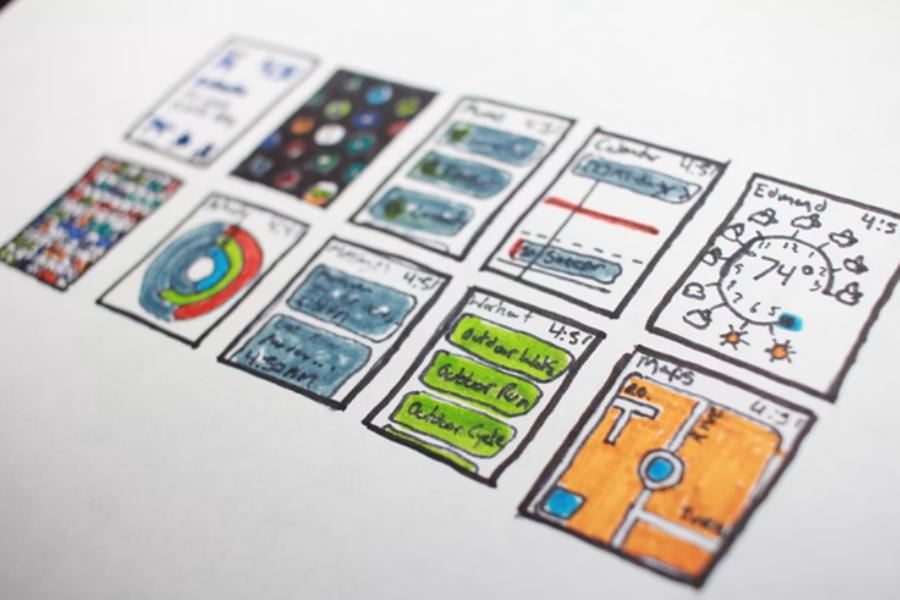
Building a modern website requires careful planning before writing a single line of code. Software developers frequently face complex requirements that can easily lead to confusion during the initial building process. Having clear visual reference points the entire engineering team in the correct direction from day one.
Pictures help bridge the massive gap between abstract technical ideas and working software code. Visual blueprints keep frontend and backend teams perfectly aligned throughout the creation journey. These clear graphics turn messy discussions into actionable development steps that save time.
Breaking Down Complex Architecture
Large codebases often become difficult to manage without a clear map to guide the engineers. Software developers need a reliable way to see how different software components connect with each other. A visual layout makes these intricate relationships clear immediately without forcing people to search through dozens of separate folders.
Databases and external application program interfaces must exchange information without any system errors. Seeing this data flow in a clear diagram prevents costly design mistakes long before any production begins. It saves development teams hours of frustrating troubleshooting during deep programming phases.
Engineering teams can map out the entire user journey before writing any backend scripts. This structural clarity keeps the ultimate project goals front and center during long work weeks. It prevents feature creep from ruining the original project timeline.
Simplifying the Planning Phase
Planning a brand new web application takes significant mental effort and team coordination. Engineering teams must agree on the core application structure before any official coding begins. Major disagreements at this early stage can stall a critical project for several weeks at a time.
Initial brainstorming sessions can quickly become unorganized and frustrating for the participants. Many modern development teams use process mapping software to organize their initial structural ideas. This shared canvas lets everyone contribute to the system architecture seamlessly.
A solid visual plan reduces the need for major code rewrites later in the cycle. Visual tools help engineers spot flaws in system logic early in the design process. This early detection keeps development budgets on track and keeps corporate clients happy.
Lowering Cognitive Load for Engineers
Writing code demands intense mental focus for long stretches of time every day. Reading thousands of lines of raw text tires the human brain quite quickly. Complex modern systems require a tool that simplifies information processing for the entire team.
A research paper published in 2026 found that structured diagrams reduce mental strain and speed up understanding. This graphical approach helps teams reason through problems together much faster.
Visual representations let web developers grasp system logic without getting bogged down in programming syntax. Engineers can focus on high-level problem solving rather than tedious line-by-line decoding. This mental shift improves overall coding speed and structural accuracy.
Teaching Core Concepts to New Developers
Onboarding new team members can slow down an active software project significantly. Junior developers need time to understand how a complex application works behind the scenes. Spending days reading raw code files is an inefficient training method for new hires.
Visual aids speed up this training process significantly for engineering departments. A study available on Preprints notes that utilizing blocks and diagrams makes it easier to understand basic programming ideas.
New hires can study these charts to learn the system path completely independently. This reduces the time senior engineers spend explaining basic application flow every morning. Teams become fully productive much sooner.
Improving Communication Across Departments
Web developers must talk to clients, graphic designers, and business managers regularly. Non-technical stakeholders rarely understand complex programming terms or messy database files. Miscommunications often lead to wasted hours and the creation of wrong features.
- Diagrams translate technical setups into simple visuals that anyone can understand. This keeps planning meetings highly productive and focused.
- Clients can give feedback on layout flows without reading backend scripts. This prevents late revisions that disrupt product schedules.
- Project managers track progress more easily when milestones correspond to chart sections. This keeps deadlines clear for everyone on the team.
Charts serve as a fantastic universal language for the entire company. Shared visuals keep every single department on the same page from start to finish. This highly collaborative environment leads to better software products.
Designing Better User Experiences
Good user experience design requires a clear understanding of website paths. Developers must know exactly what happens when a visitor clicks a specific button. Without this careful mapping, the final interface can feel messy and confusing.
- Flowcharts map every possible action a visitor might take on a page. This helps catch broken links before launch.
- Visual maps highlight dead ends where a user might get stuck. Resolving these blocks keeps navigation smooth for visitors.
- App paths become clearer when developers visualize the journey beforehand. This results in a cleaner user interface design.
Mapping these steps out prevents bad navigation choices before building them in code. It keeps the final web product clean and user-friendly for the public. Users enjoy web applications that feel intuitive and highly responsive.
Faster Debugging and System Updates
Finding bugs in a sprawling web application can take days of frustrating work for a team. When a system breaks, engineers must trace the error through multiple files. A chaotic file structure makes this debugging process even worse for everyone involved.
An updated architectural map shows exactly how modern systems connect with each other. Developers trace the issue along the mapped pathways to find the broken link quickly. This targeted approach cuts down on expensive system downtime.
Making updates becomes simpler when the existing setup is clearly documented with visuals. Engineers alter the visual chart to test changes before editing live server code. This smart precaution protects the active production environment from unexpected crashes.
Creating Better Technical Documentation
Code documentation is often forgotten or written poorly during rushed company deadlines. Text-heavy files are hard to maintain and rarely get read by the engineering team. This lack of clear records hurts future product development cycles over the long haul.
Adding charts to documentation makes the text files much more useful for everyone. Visual records stay relevant longer and provide quick answers for future system updates. New developers can skip lengthy reading sessions during onboarding.
Future teams will appreciate having clear maps to guide their maintenance work. Good documentation protects the long-term health of the software platform. This keeps the application maintainable for many years to come.
Visual diagramming is a smart practice for modern software engineering teams. It transforms abstract ideas into practical blueprints that guide successful website builds.
Clear charts save time, prevent errors, and keep different departments connected. Visual tools remain a staple for building excellent web applications that last.
Leave a Reply